






Activate a new card
Activate a new debit card and use a virtual card while waiting for the physical card to arrive.
PERSONAL BANKING
PERSONAL LOANS & CREDIT
RETIREMENT & INVESTMENTS
DIGITAL BANKING
BUSINESS BANKING
BUSINESS LOANS & CREDIT
BUSINESS SERVICES
DIGITAL BANKING
COMMERCIAL BANKING
SPECIALTY LENDING
TREASURY MANAGEMENT
ADDITIONAL COMMERCIAL SOLUTIONS
Explore Our Approach to Wealth
WHY HANCOCK WHITNEY
WEALTH MANAGEMENT
WEALTH PLANNING
INSTITUTIONAL
COMMUNITY INVOLVEMENT
COMPANY
Financial Insights
OUR TEAM
Insights Articles
Personal Banking
Small Business
Commercial Banking
Wealth
Company Insights
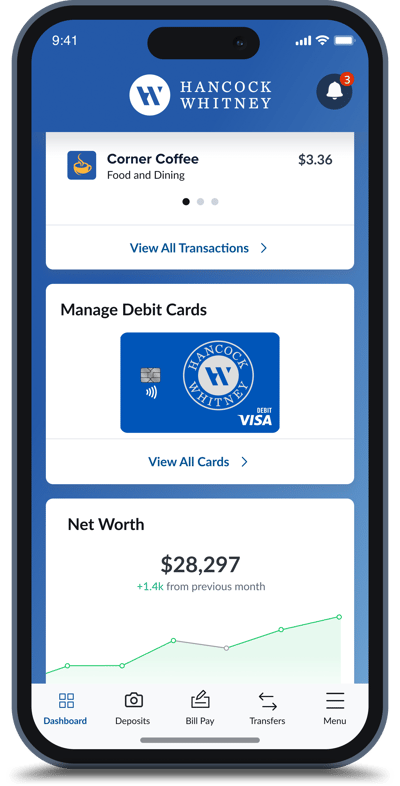
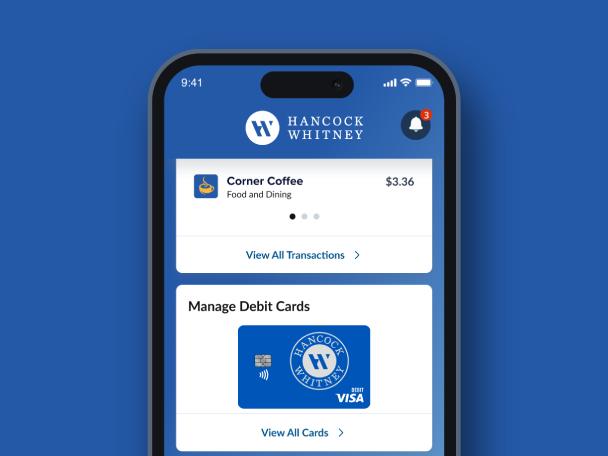
Find, manage, use, and view your Hancock Whitney debit cards all in one convenient, secure location in our mobile app.1
Debit card controls are security and management features in the Hancock Whitney mobile app that let debit cardholders turn their card on or off, set spending limits, monitor activity in real time, and more, all from their smart device.
Instead of calling customer service, cardholders can manage these settings themselves, providing hands-on control over how, where, and when their debit card is used.
Activate a new debit card and use a virtual card while waiting for the physical card to arrive.
Turn your debit card on or off as needed. You can also quickly report lost or stolen cards.
Identify where your debit card info is stored online.
Set spending limits based on location, amount, merchant type, and transaction type.
Change your PIN whenever you need, whether you've forgotten it or want to ensure it's secure.
Get greater insight into every transaction with merchant data, such as name, logo, contact, and location information.
Activate a new debit card and use a virtual card while waiting for the physical card to arrive.
Turn your debit card on or off as needed. You can also quickly report lost or stolen cards.
Identify where your debit card info is stored online.
Set spending limits based on location, amount, merchant type, and transaction type.
Change your PIN whenever you need, whether you've forgotten it or want to ensure it's secure.
Get greater insight into every transaction with merchant data, such as name, logo, contact, and location information.
Setting up your secure preferences just takes a few taps, right from the Hancock Whitney mobile app.
If you haven't yet, download the app and sign in with your online banking credentials.
You will have a view of your Hancock Whitney debit cards, transactions and card features such as Card On/Off.
From here, you have full control of your debit card. Set controls & alerts, manage travel plans, set or change your PIN and more.
View the demo for more details.
Via our mobile app, you can turn your card on or off if you suspect fraud or misplace your card. Even limit transactions by location, merchant, and transaction type to control how your card is used. Report lost and/or stolen cards directly by connecting with a customer service representative. Plus, set up alerts to stay informed. View Demo.
Simply log in to our mobile banking app and tap "View Cards" to get started. View Demo.
No. As long as your 16-digit card number is the same, your existing card control settings will be automatically updated.
No, only Hancock Whitney debit cards are supported. View Demo.
1 Debit card controls are not available in the business banking mobile app.
Zelle® and the Zelle® related marks are wholly owned by Early Warning Services, LLC and are used herein under license.
To send or receive money with Zelle®, both parties must have an eligible checking or savings account. Transactions between enrolled users typically occur in minutes. Only send money to people you know well and trust. If you don’t know the person you are paying or are unsure you will receive what you are purchasing, then we don’t recommend you use Zelle® for the transaction. Please be aware that neither Hancock Whitney nor Zelle® offers purchase protection for payments made with Zelle®. This means that if you don’t receive the item you paid for, or if it’s not as described, you may not be able to recover your funds.